Connect Order Editing to Yotpo Loyalty so a customer’s points reflect their final order. When a customer changes an order, Order Editing compares the points Yotpo awarded for the original order with the points the edited order should earn, then applies the difference.
This guide covers Yotpo Loyalty. It does not configure Yotpo Reviews, SMS, or other Yotpo products.
Yotpo Loyalty must already be connected to your Shopify store.
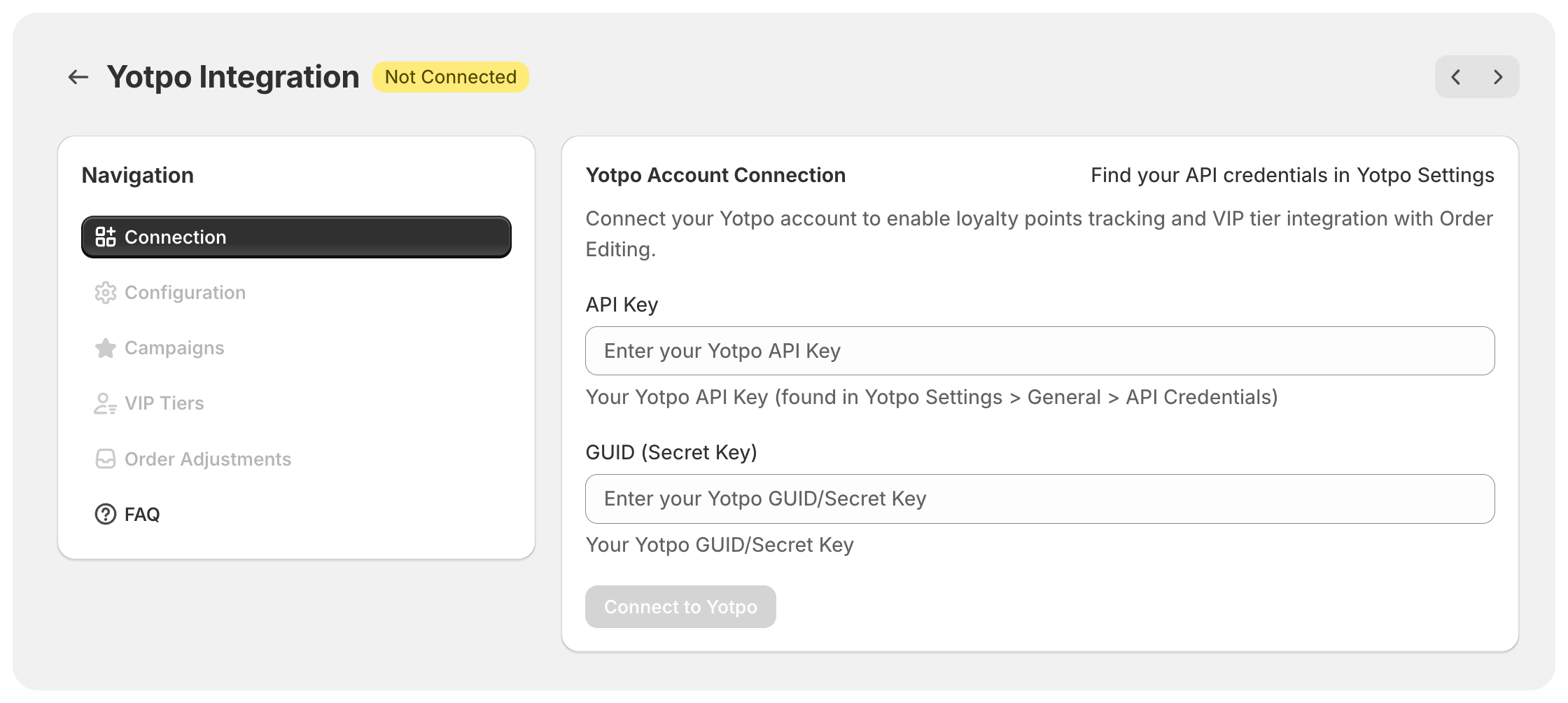
You need your Yotpo API Key and GUID (Secret Key). In Yotpo, find them under Settings > General > API Credentials.
Make sure your Yotpo points-per-dollar rate is available, along with any rules for whether shipping, tax, or duties earn points.
In Order Editing, go to Integrations and open Yotpo.
Open Connection.
Enter your API Key and GUID (Secret Key).
Click Connect to Yotpo.
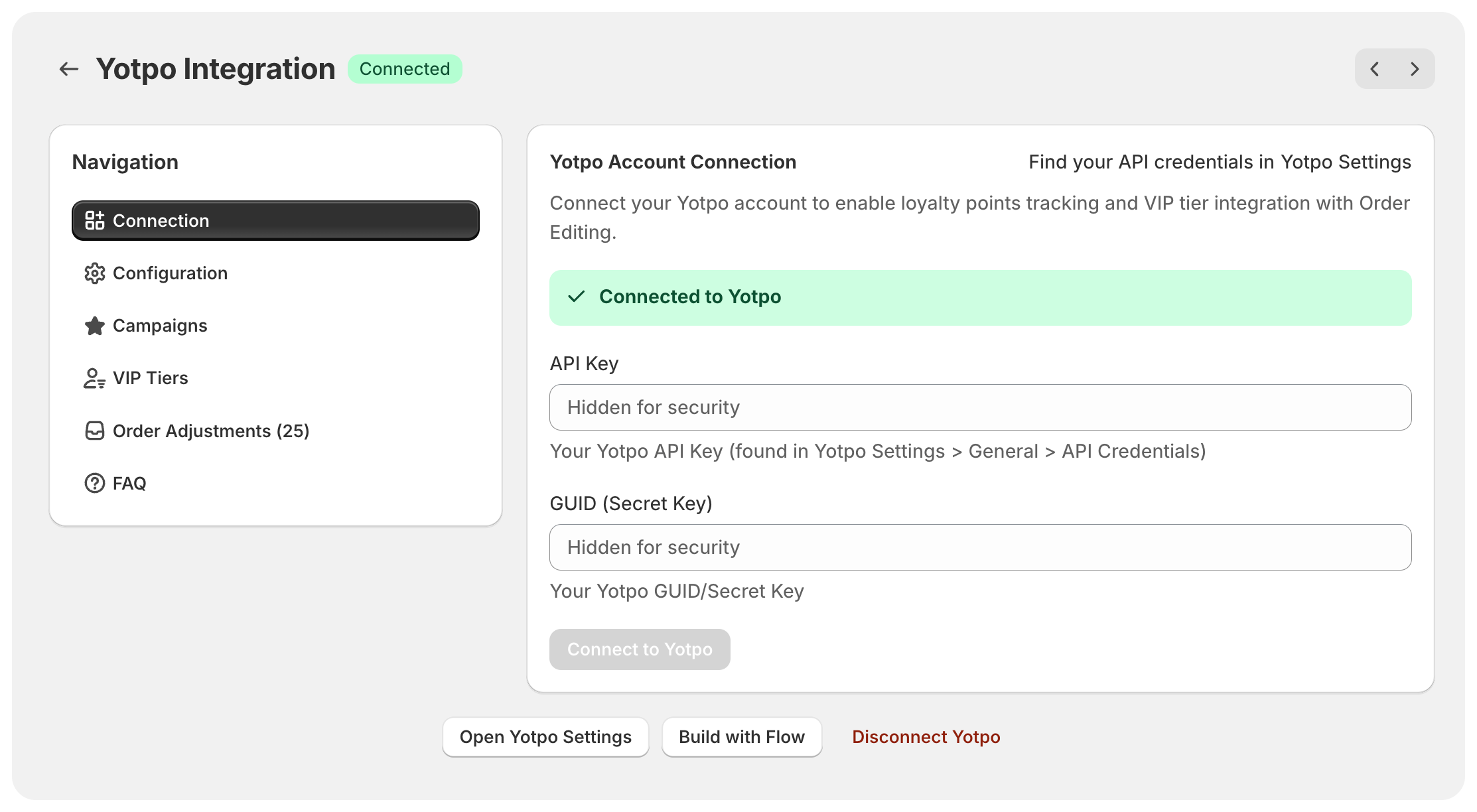
When the connection succeeds, the page shows a Connected to Yotpo confirmation.
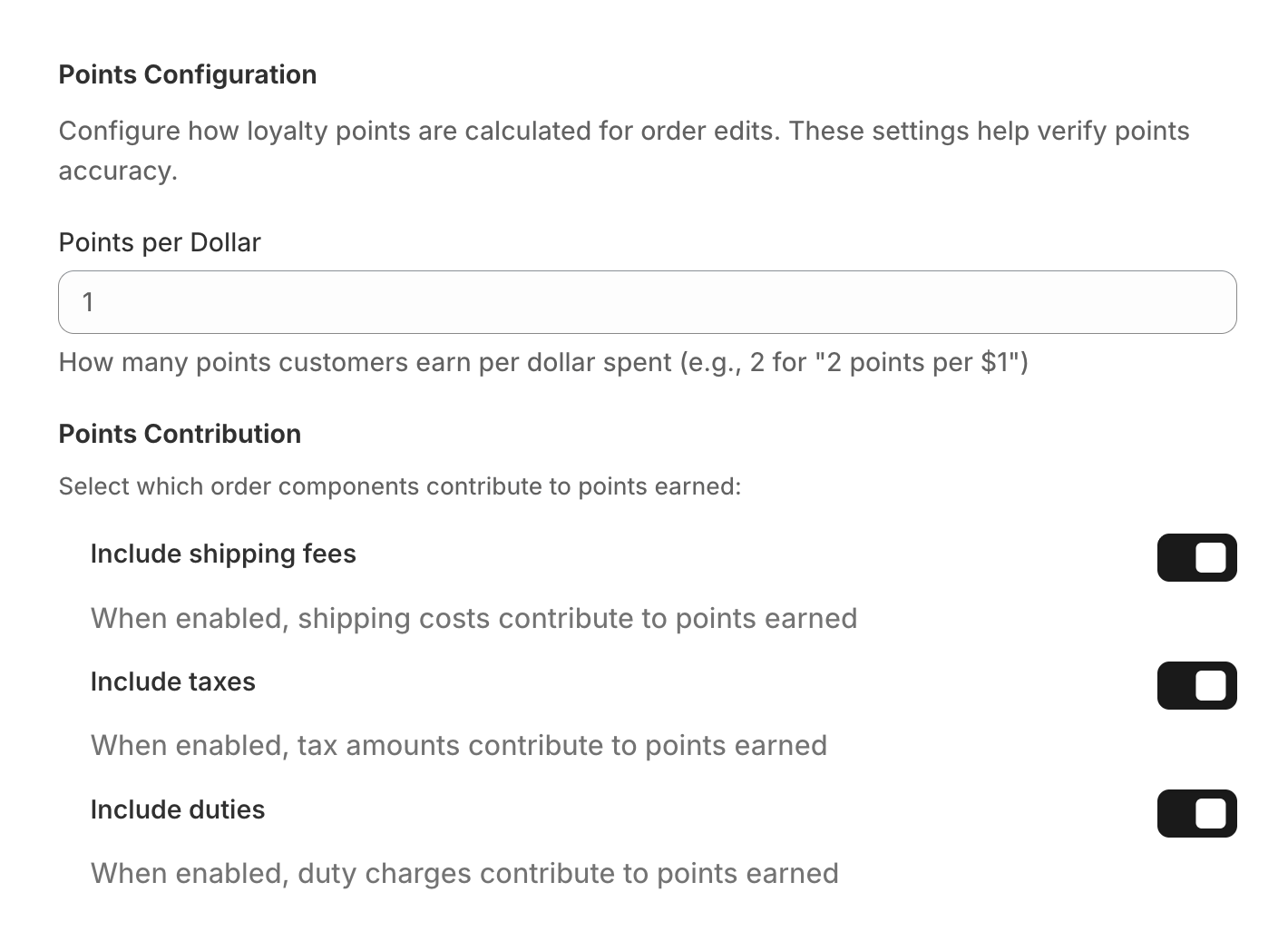
Open Configuration and set the following to match your Yotpo Loyalty program.
Enter the number of points a customer earns per dollar spent. For example, enter 2 when customers earn 2 points for every $1 spent.
Choose which parts of the order should contribute to earned points:
Include shipping fees
Include taxes
Include duties
Only enable an option when that amount also earns points in Yotpo. Matching these settings prevents avoidable point corrections.
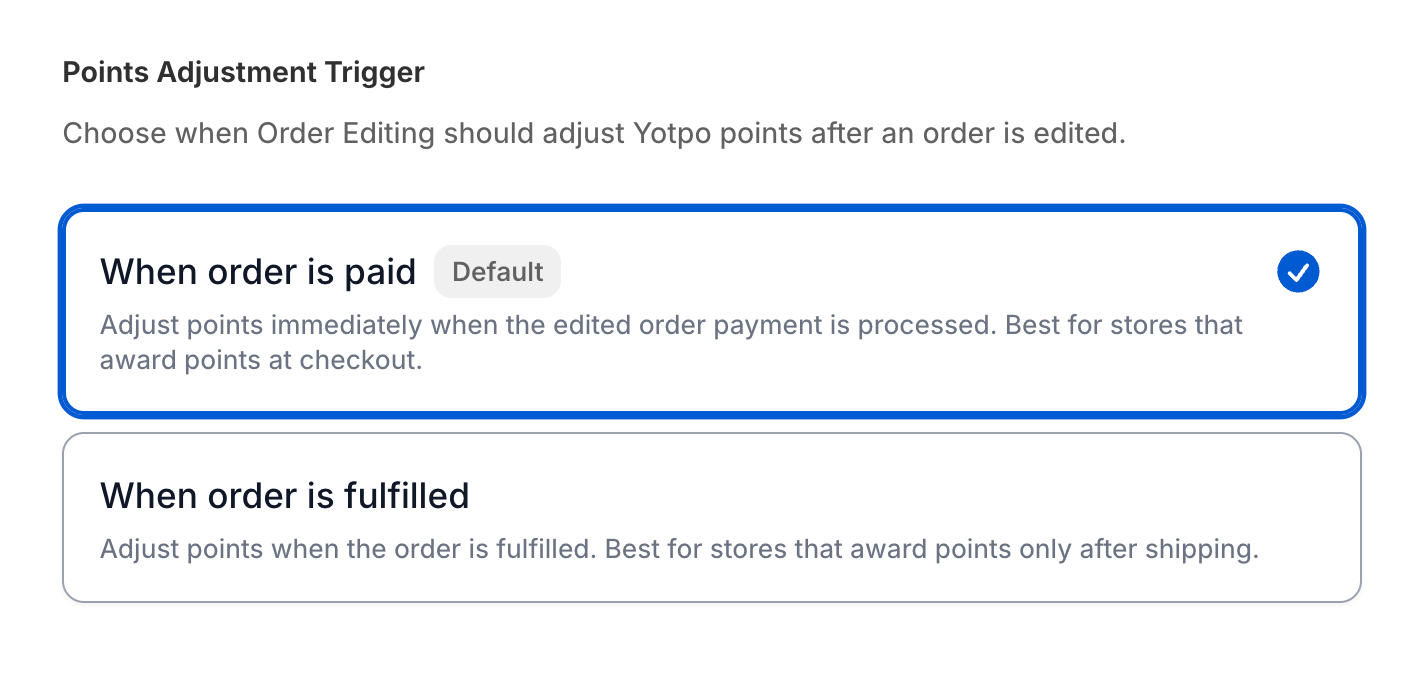
By default, Order Editing adjusts points when payment for the edited order is processed. This suits stores that award points at checkout.
Order Editing retrieves the customer’s Yotpo VIP-tier information. If the customer has a tier with a points multiplier, the multiplier is included when calculating the adjustment. If your Yotpo account has no VIP tiers, Order Editing uses your configured points-per-dollar rate.
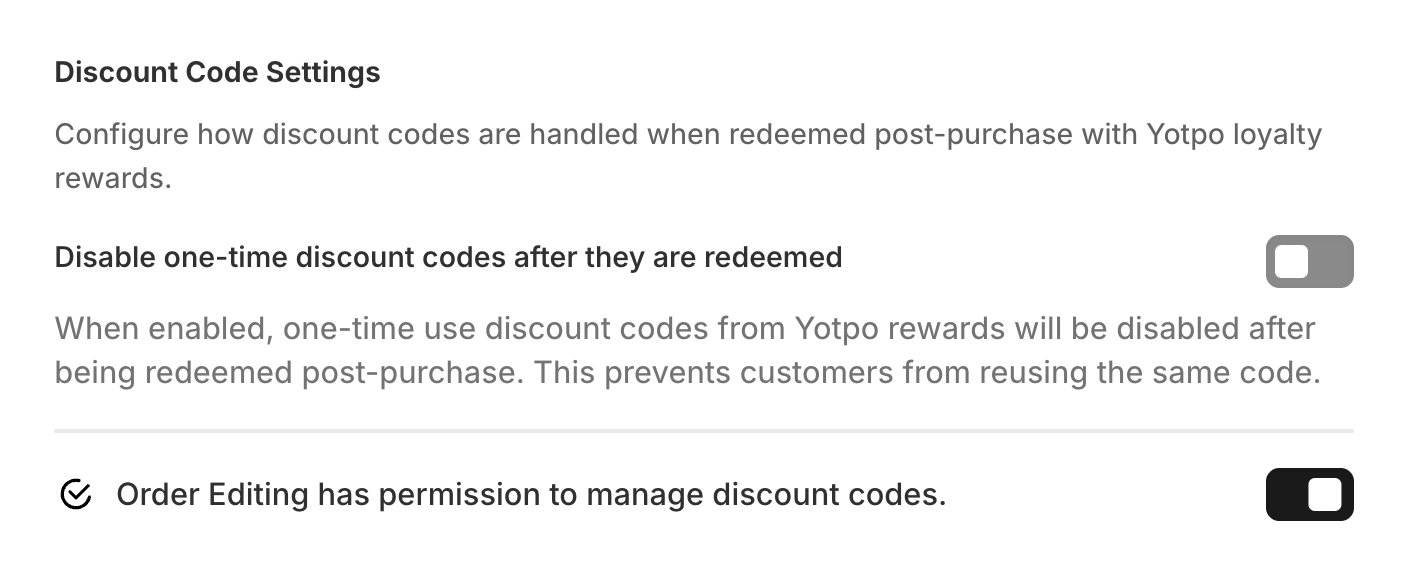
Order Editing can deactivate an eligible single-use Shopify discount code after it has been redeemed post-purchase. This helps prevent a Yotpo reward code from being reused.
In Discount Code Settings, grant the requested write_discounts permission and enable Disable one-time discount codes after they are redeemed. Discount-code protection applies only to active, single-use basic Shopify discount codes. Reusable codes and unsupported discount types are not deactivated.
Order Editing detects the changed order.
When payment for the edited order is processed, it calculates the points the final order should earn, including any applicable VIP multiplier.
It compares that total with Yotpo’s existing points for the order and adds or removes the difference when needed.
Yotpo needs to have recorded the original purchase before Order Editing can adjust it. If it has not, Order Editing retries automatically. Recalculations are protected against duplicate adjustments, so retrying the same order does not double-count points.
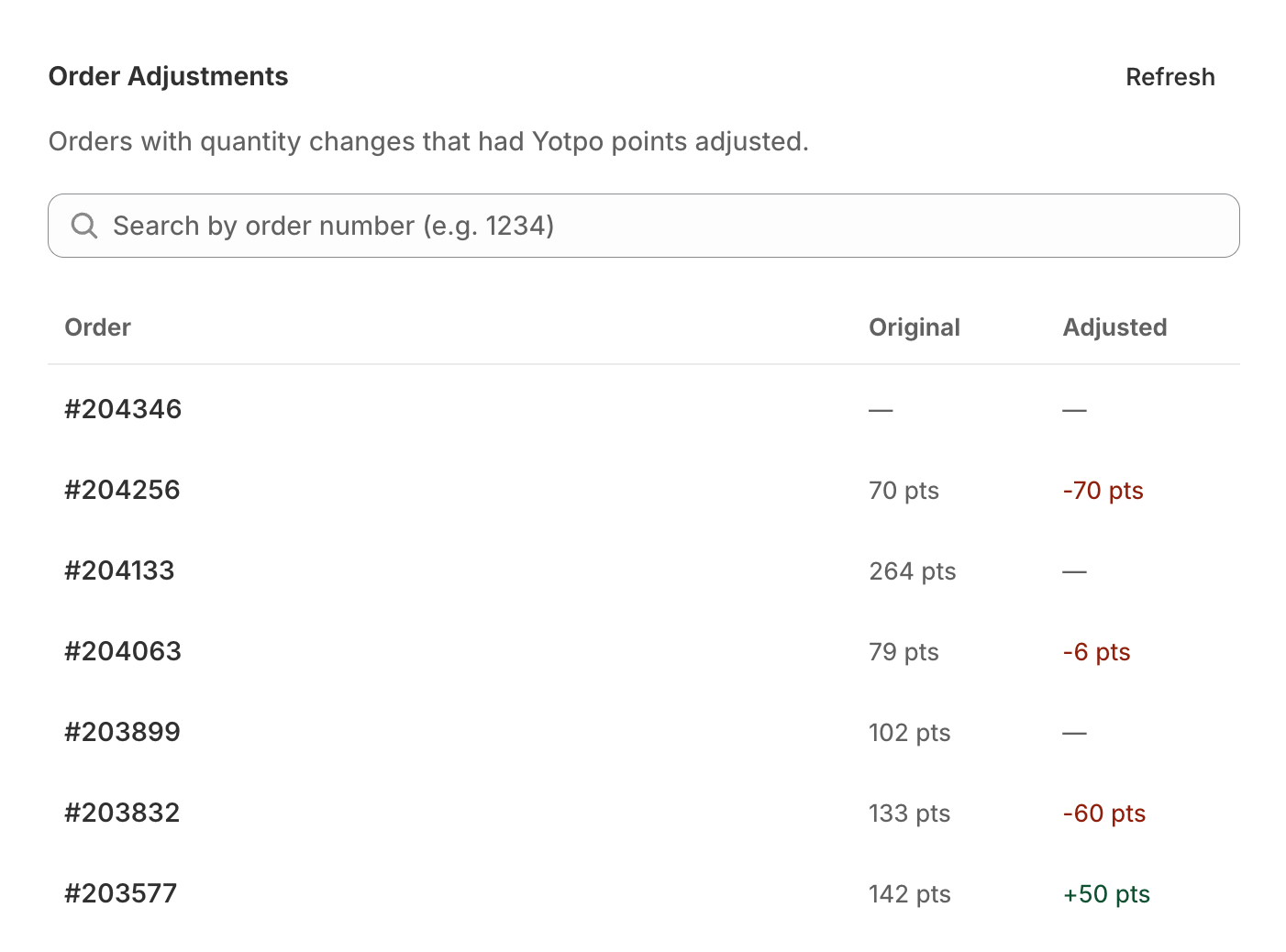
Open Order Adjustments to review recent orders with quantity changes and search by order number. The list shows the original points and any adjustment made after an edit.
To request another calculation for an order that has already been paid, add the Shopify order tag oe:yotpo_pending. You can also use this tag in Shopify Flow or another automation when a staff member changes an order.
Check that the API Key and GUID (Secret Key) are current and copied from Yotpo Settings > General > API Credentials. The credentials must have access to the Yotpo Loyalty API.
First, confirm payment for the edited order has been processed. Yotpo must also have recorded the original purchase. Order Editing retries when Yotpo is not ready yet; use the oe:yotpo_pending tag if you need to request another calculation.
Check that the customer has an active VIP tier in Yotpo with a points multiplier. If no tier is available, the calculation uses the points-per-dollar value you configured.
No. Order Editing checks its previous adjustment for the same final order state before creating another one. A repeated calculation does not create a duplicate points adjustment.